
How to pay with Bitcoin (Interac E-transfer)
Choosing a Wallet
There are many different wallets you can choose to use. Each has unique pros and cons in regards to fees, security, ease of use, and many other factors. In this guide we will be using the wallet “Shakepay”. Every wallet will have a slightly different setup but the general steps will be similar. We recommend Shakepay for its ease of setup/use and its security.
Getting Started
- Download the app “Shakepay” and launch the app.
- Select “Create an account”

To open and verify a Shakepay account you will need about 5 minutes and 1 piece of Government ID (All wallets will need this, however keep in mind sending BTC is anonymous)
Follow the prompts in the app to complete setting up your account.
Completing the Signup Process
After you have submitted your video, your account will go under review. The review process can anywhere from a couple of hours to four business days. Once your account has been verified you will be able to add funds and send out BTC.
Adding Funds To Your Wallet
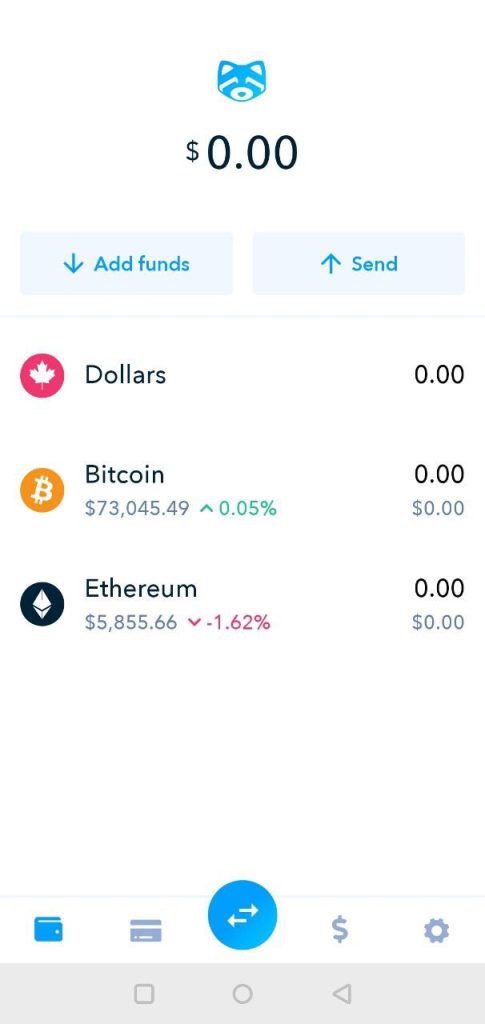
- Select the “Add Funds” button
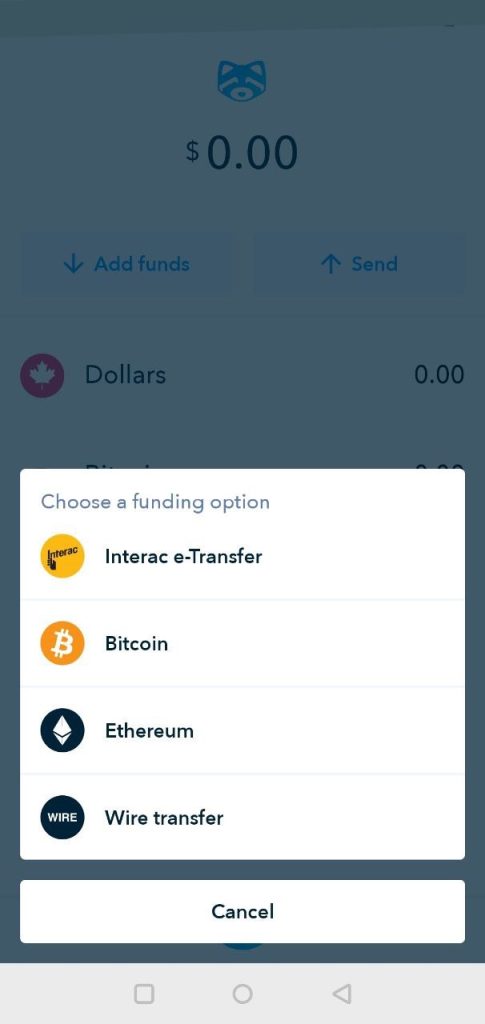
Select Your Preferred Funding Method
- You can choose between Interac E-Transfers, Bitcoin, Ethereum, Bank Wire.
- Select Interac E-Transfer
Details For Interac E-Transfer
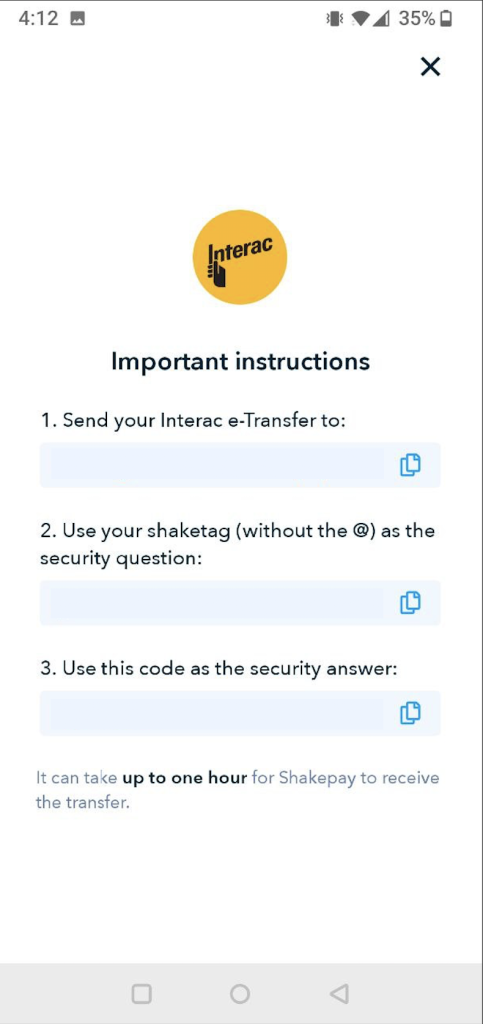
- This page will display all the required information to send an Interac E-Transfer from your bank to your Shakepay account.
- You will need to send the transfer to a specific email owned by Shakepay, you must also set a specific Security Question and Security Answer.
- Funds can take up to an hour to show up in your account, after sending the transfer from your bank.
Purchasing BTC
- Once you have funds (CAD) in your waller you can purchase BTC
- Select the Buy/Sell Icon.
- With Shakepay it is the blue circle with arrows pointing opposite directions, near the bottom of the app. However, other wallets may have different icons.
Select a Purchase Method
- Similar to stocks, BTC can be purchased via a regular (market) buy, or a limit buy.
- For the purpose of this tutorial we will only be using the standard (market) buy.
- Select “Buy & Sell”
Purchase BTC
- Enter the amount of BTC you would like to purchase.
- Amount must be within limit of your CAD funds.
- Select “Buy Citcoin”
- Confirm the purchase by selecting “Confirm”
Paying With BTC using Shakepay app
- On your wallet homepage select the Bitcoin row.
BTC Info Page
- You can view current prices and more info about BTC on this page.
- You can also send BTC to another wallet via the send option.
- Select the “Send” button
Sending BTC
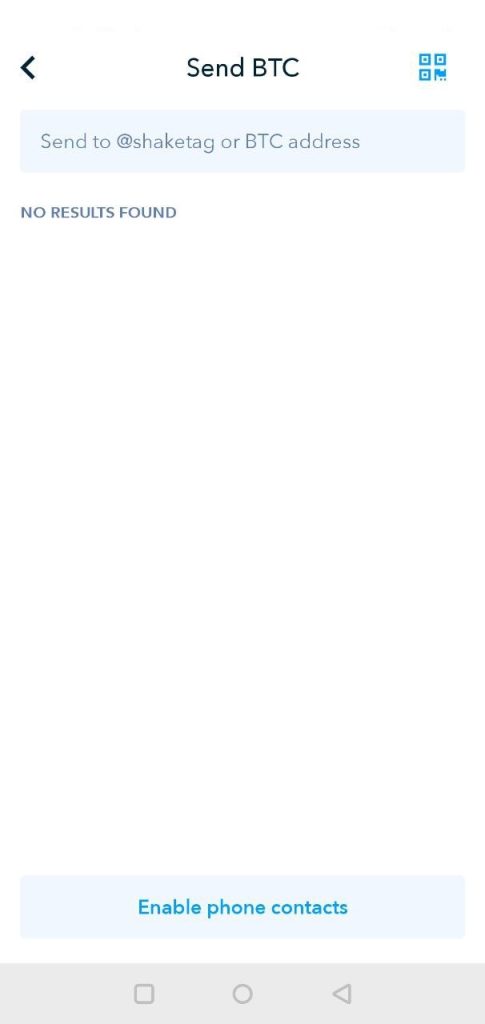
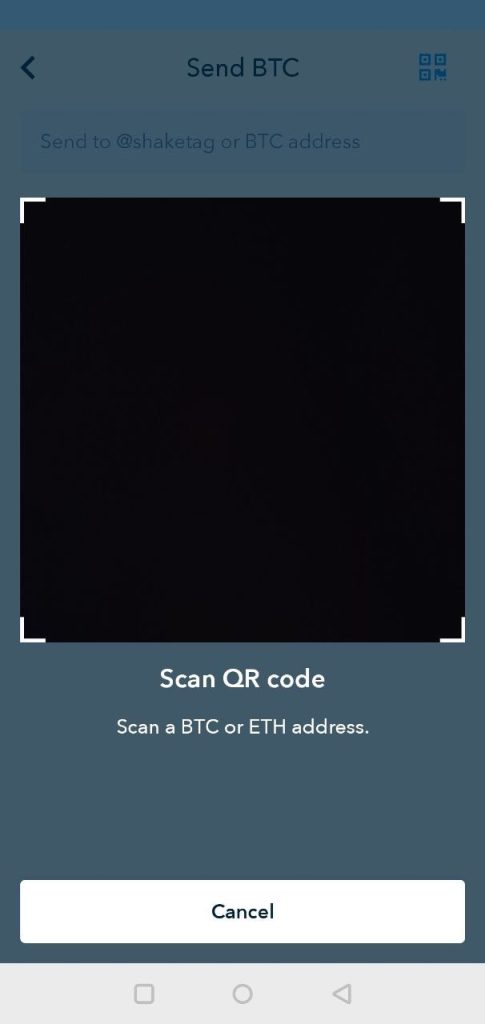
- There are two options for sending BTC, by typing put the wallet address or scanning a QR code.
- To type out the address simply enter the BTC wallet address into the top bar.
- To access the QR code scanner hit the top right button with the four squares. (Different apps may have a different location for this button)
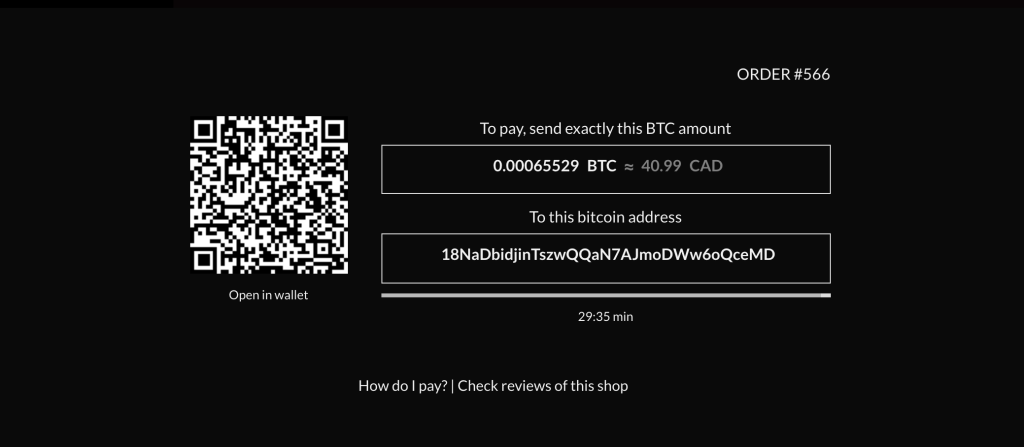
- You can find the address and QR code at checkout. The picture below is not the current address. DO NOT send BTC to the address listed in this tutorial.
Confirming the Recipient
- You may be prompted to confirm the address you typed in or scanned.
- Select “I Understand”
Confirming the Amount
- Enter in the amount of BTC you would like to send.
- The BTC amount can be found at checkout.
- Select “Continue”